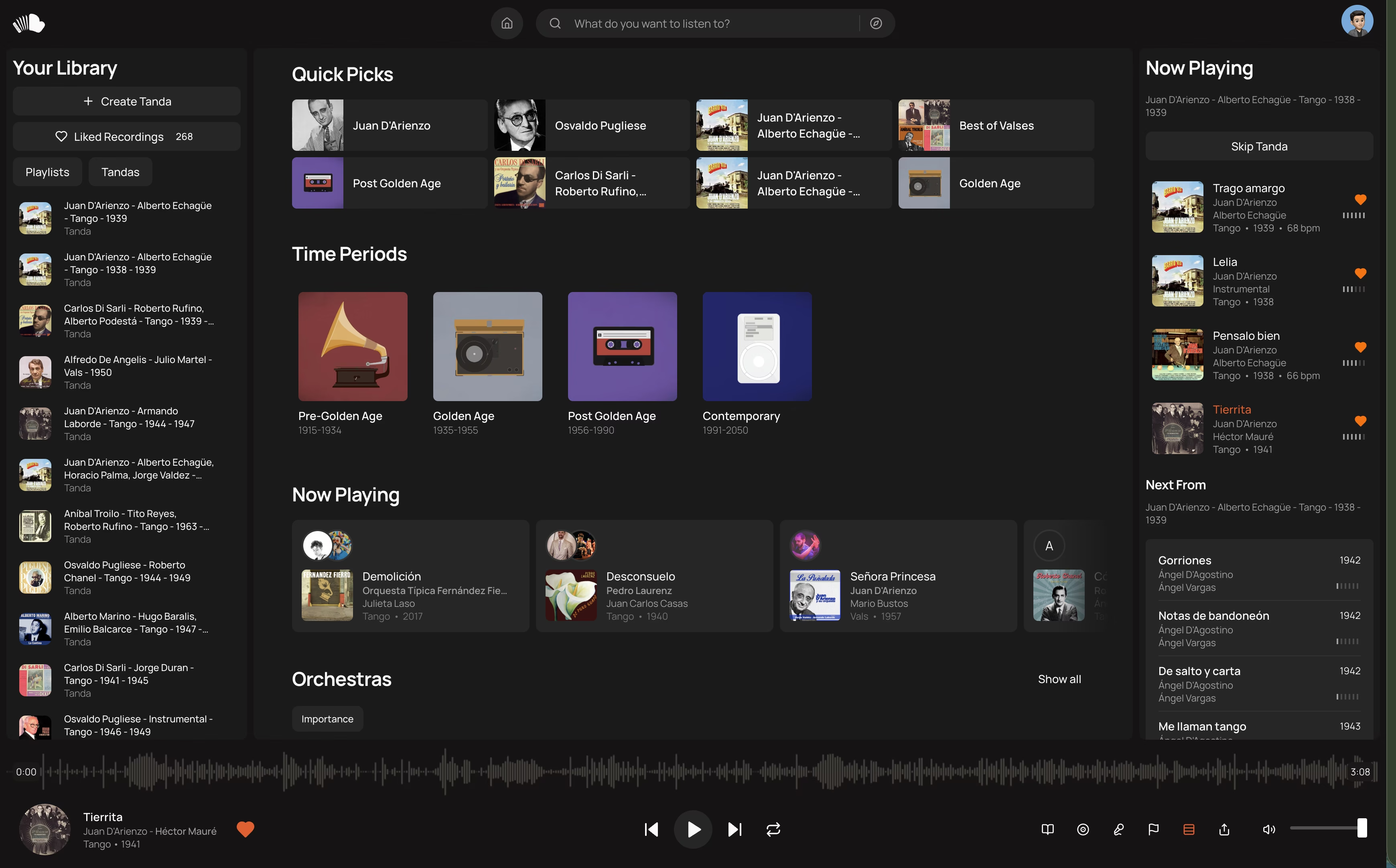
You've read the backend article. You know how to store positions efficiently. Now comes the hard part: making the drag-and-drop feel good.
Users don't care about your database schema. They care that when they drag a song, it moves instantly. No jank. No loading spinners. No "please wait while we update the server."
This guide shows you how to build reorderable lists that feel native—using nothing but Hotwire, Stimulus, and vanilla JavaScript. No React. No external drag-and-drop libraries.
The Goal: 60fps Drag-and-Drop
Here's what we're building:
- Desktop: Hover to reveal drag handle, click and drag to reorder
- Mobile: Long-press (300ms) to pick up item, drag to reorder
- Both: Immediate visual feedback, smooth animations, optimistic updates
The secret? Separate visual state from data state. The browser handles the animation. The server handles persistence. They never block each other.
Architecture Overview
The architecture separates visual state from data state:
Browser Layer
- Stimulus Controller owns all drag state and coordinates the interaction
- DOM updates happen instantly—position changes, CSS transforms, placeholder elements
- fetch() sends position updates to the server asynchronously (non-blocking)
Server Layer
- Rails Controller validates the request and authorizes the user
- PlaybackQueue model updates the order array (single row update)
- Turbo Stream response optionally broadcasts to other tabs/users via ActionCable
The key insight: the drag happens entirely in JavaScript. We only talk to the server after the user releases. This means:
- Dragging is always 60fps (no network latency)
- Server can be slow—user doesn't notice
- If server fails, we can rollback visually
Part 1: The Stimulus Controller
Let's build a reorderable list controller from scratch. I'll explain each piece.
Basic Structure
// app/javascript/controllers/reorderable_list_controller.js
import { Controller } from '@hotwired/stimulus'

export default class extends Controller {
  static targets = ['item']
  static values = {
    url: String, // Endpoint for position updates
    section: String, // Optional: for sectioned lists
    longPressDelay: { type: Number, default: 300 },
  }

  connect() {
    this.dragState = null
    this.isTouchDevice = 'ontouchstart' in window
  }
}
Targets: Each draggable item gets data-reorderable-list-target="item".
Values: Configuration passed from HTML. The URL template includes :id which we replace with the actual item ID.
The HTML Setup
<div data-controller="reorderable-list"
     data-reorderable-list-url-value="/queue_items/:id/position"
     data-reorderable-list-section-value="auto_queue">

  <% queue_items.each do |item| %>
    <div data-reorderable-list-target="item"
         data-item-id="<%= item.id %>">
      <!-- Item content -->

      <!-- Desktop: drag handle (hidden until hover) -->
      <button data-action="pointerdown->reorderable-list#startDrag"
              class="drag-handle">
        ⋮⋮
      </button>
    </div>
  <% end %>
</div>
Desktop Drag: Handle-Based
For desktop, we use a drag handle. This avoids interfering with text selection and link clicks.
startDrag(event) {
  // Only handle left-click
  if (event.button !== 0) return

  const item = event.target.closest('[data-reorderable-list-target="item"]')
  if (!item) return

  event.preventDefault()

  // Capture pointer for reliable tracking
  event.target.setPointerCapture(event.pointerId)

  this.initiateDrag(item, event.clientX, event.clientY, event.pointerId)
}
Mobile Drag: Long-Press
Mobile needs different UX. A tap should not start dragging (it might be a click). Instead, we use long-press—hold for 300ms to pick up the item.
itemTargetConnected(item) {
  if (this.isTouchDevice) {
    this.setupLongPress(item)
  }
}

setupLongPress(item) {
  let longPressTimer = null
  let startX, startY

  const onPointerDown = (event) => {
    // Don't intercept buttons, links, etc.
    if (event.target.closest("button, a, input")) return

    startX = event.clientX
    startY = event.clientY

    longPressTimer = setTimeout(() => {
      this.triggerLongPress(event, item)
    }, this.longPressDelayValue)
  }

  const onPointerMove = (event) => {
    if (!longPressTimer) return

    // Cancel if user moves too far (they're scrolling)
    const dx = Math.abs(event.clientX - startX)
    const dy = Math.abs(event.clientY - startY)

    if (dx > 10 || dy > 10) {
      clearTimeout(longPressTimer)
      longPressTimer = null
    }
  }

  const onPointerUp = () => {
    if (longPressTimer) {
      clearTimeout(longPressTimer)
      longPressTimer = null
    }
  }

  item.addEventListener("pointerdown", onPointerDown)
  item.addEventListener("pointermove", onPointerMove)
  item.addEventListener("pointerup", onPointerUp)
  item.addEventListener("pointercancel", onPointerUp)
}

triggerLongPress(event, item) {
  // Haptic feedback on supported devices
  if ("vibrate" in navigator) {
    navigator.vibrate(50)
  }

  // Visual feedback
  item.classList.add("reorderable-item--long-press")

  this.initiateDrag(item, event.clientX, event.clientY, event.pointerId)
}
Why Pointer Events? They unify mouse, touch, and pen input. One API for all devices.
The Drag Mechanics
Here's where the magic happens. We use position: fixed to pull the item out of document flow, then track pointer movement to update its position.
initiateDrag(item, clientX, clientY, pointerId) {
  const rect = item.getBoundingClientRect()

  // Create placeholder to maintain layout
  const placeholder = document.createElement("div")
  placeholder.className = "reorderable-placeholder"
  placeholder.style.height = `${rect.height}px`
  item.parentNode.insertBefore(placeholder, item)

  // Pull item out of document flow
  Object.assign(item.style, {
    position: "fixed",
    top: `${rect.top}px`,
    left: `${rect.left}px`,
    width: `${rect.width}px`,
    zIndex: "9999",
    pointerEvents: "none",  // So it doesn't interfere with drop detection
    transition: "none"      // Disable transitions during drag
  })
  item.classList.add("reorderable-item--dragging")

  // Store drag state
  this.dragState = {
    item,
    placeholder,
    pointerId,
    startY: clientY,
    startTop: rect.top,
    itemHeight: rect.height,
    originalIndex: this.itemTargets.indexOf(item)
  }

  // Visual feedback on container
  this.element.classList.add("reorderable-list--dragging")

  // Global listeners for move/end
  document.addEventListener("pointermove", this.onMove.bind(this))
  document.addEventListener("pointerup", this.endDrag.bind(this))
  document.addEventListener("pointercancel", this.endDrag.bind(this))
}
The Placeholder: When we pull an item out of flow, the items below it would jump up. The placeholder prevents this—it occupies the original space.
Tracking Movement
As the pointer moves, we update the dragged item's visual position and move the placeholder to indicate where the item will drop.
onMove(event) {
  if (!this.dragState) return

  const { item, placeholder, startY, startTop, itemHeight } = this.dragState
  const deltaY = event.clientY - startY

  // Move dragged item visually
  item.style.top = `${startTop + deltaY}px`

  // Calculate where it would drop
  const draggedCenter = startTop + itemHeight / 2 + deltaY
  this.updatePlaceholder(placeholder, draggedCenter, item)
}

updatePlaceholder(placeholder, draggedCenter, draggedItem) {
  // Get positions of all non-dragged items
  const otherItems = this.itemTargets
    .filter(el => el !== draggedItem)
    .map(el => ({
      element: el,
      center: el.getBoundingClientRect().top + el.offsetHeight / 2
    }))

  // Find where to insert placeholder
  let insertBefore = null
  for (const { element, center } of otherItems) {
    if (draggedCenter < center) {
      insertBefore = element
      break
    }
  }

  // Move placeholder (only if needed, to avoid layout thrashing)
  if (insertBefore) {
    if (placeholder.nextElementSibling !== insertBefore) {
      insertBefore.parentNode.insertBefore(placeholder, insertBefore)
    }
  } else if (otherItems.length > 0) {
    const lastItem = otherItems[otherItems.length - 1].element
    if (placeholder !== lastItem.nextElementSibling) {
      lastItem.after(placeholder)
    }
  }
}
Performance Note: We only move the placeholder when necessary. Moving DOM elements is expensive—don't do it on every pointermove if nothing changed.
Ending the Drag
When the user releases, we animate to the final position, then update the server.
endDrag() {
  if (!this.dragState) return

  // Remove global listeners
  document.removeEventListener("pointermove", this.onMove.bind(this))
  document.removeEventListener("pointerup", this.endDrag.bind(this))
  document.removeEventListener("pointercancel", this.endDrag.bind(this))

  const { item, placeholder, originalIndex } = this.dragState

  // Calculate new position (1-based for server)
  const newIndex = this.calculatePosition(placeholder, item)
  const positionChanged = originalIndex !== newIndex - 1

  // Animate to final position
  const placeholderRect = placeholder.getBoundingClientRect()
  item.style.transition = "top 0.12s ease-out"
  item.style.top = `${placeholderRect.top}px`

  // After animation, clean up and persist
  setTimeout(() => {
    this.cleanup(item, placeholder)

    if (positionChanged) {
      this.persistPosition(item.dataset.itemId, newIndex)
    }
  }, 120)
}

calculatePosition(placeholder, draggedItem) {
  let position = 1

  for (const child of this.element.children) {
    if (child === placeholder) break
    if (child.dataset.reorderableListTarget === "item" && child !== draggedItem) {
      position++
    }
  }

  return position
}

cleanup(item, placeholder) {
  // Reset item styles
  Object.assign(item.style, {
    position: "",
    top: "",
    left: "",
    width: "",
    zIndex: "",
    pointerEvents: "",
    transition: ""
  })
  item.classList.remove("reorderable-item--dragging", "reorderable-item--long-press")

  // Replace placeholder with item
  placeholder.replaceWith(item)

  // Reset container
  this.element.classList.remove("reorderable-list--dragging")
  this.dragState = null
}
Persisting to Server
Finally, we send the new position to the server. This happens asynchronously—the UI is already updated.
async persistPosition(itemId, newPosition) {
  const url = this.urlValue.replace(":id", itemId)

  try {
    const response = await fetch(url, {
      method: "PATCH",
      headers: {
        "Content-Type": "application/json",
        "Accept": "text/vnd.turbo-stream.html",
        "X-CSRF-Token": this.csrfToken,
        "X-Requested-With": "XMLHttpRequest"
      },
      body: JSON.stringify({
        position: newPosition,
        section: this.sectionValue
      }),
      credentials: "same-origin"
    })

    if (response.ok) {
      const html = await response.text()
      if (html.trim()) {
        // Server sent a Turbo Stream response
        Turbo.renderStreamMessage(html)
      }
    } else {
      // Revert on error
      this.revertToOriginalPosition()
    }
  } catch (error) {
    console.error("Position update failed:", error)
    this.revertToOriginalPosition()
  }
}

get csrfToken() {
  return document.querySelector('meta[name="csrf-token"]')?.content
}
Part 2: The CSS
Good drag-and-drop needs good CSS. Here's what makes it feel native.
/* The dragged item */
.reorderable-item--dragging {
  opacity: 0.9;
  box-shadow: 0 10px 40px -10px rgba(0, 0, 0, 0.3);
  transform: scale(1.02);
  cursor: grabbing;
}

/* Long-press feedback (mobile) */
.reorderable-item--long-press {
  transform: scale(1.05);
  box-shadow: 0 15px 50px -15px rgba(0, 0, 0, 0.4);
}

/* The placeholder shows where item will drop */
.reorderable-placeholder {
  background: rgba(59, 130, 246, 0.1);
  border: 2px dashed rgba(59, 130, 246, 0.3);
  border-radius: 8px;
  margin: 4px 0;
  transition: height 0.15s ease;
}

/* Container state during drag */
.reorderable-list--dragging {
  /* Disable text selection during drag */
  user-select: none;
  -webkit-user-select: none;
}

/* Drag handle (desktop) */
.drag-handle {
  opacity: 0;
  cursor: grab;
  transition: opacity 0.15s ease;
}

.drag-handle:active {
  cursor: grabbing;
}

/* Show handle on item hover */
[data-reorderable-list-target='item']:hover .drag-handle {
  opacity: 1;
}

/* On touch devices, always show handle or hide it completely */
@media (hover: none) {
  .drag-handle {
    display: none;
  }
}
Smooth Transitions for Other Items
When the placeholder moves, the other items shift. Make this smooth:
[data-reorderable-list-target='item'] {
  transition: transform 0.15s ease;
}

/* Disable during drag to avoid jank */
.reorderable-list--dragging [data-reorderable-list-target='item'] {
  transition: none;
}
Part 3: The Rails Backend
Fizzy-style controllers are thin. Authorization happens through scoped queries—if the user doesn't have access, find raises RecordNotFound. No separate permission checks needed.
# app/controllers/queue_items/positions_controller.rb
class QueueItems::PositionsController < ApplicationController
  def update
    @queue_item = Current.user.playback_queue.queue_items.find(params[:id])
    @queue_item.move_to(position: params[:position].to_i, section: params[:section])

    respond_to do |format|
      format.turbo_stream { render turbo_stream: [] }
      format.json { head :ok }
    end
  end
end
The controller does three things: find the record (with implicit authorization via scoped query), call a model method, return a response. Everything else lives in the model.
Routes
REST-first design—every action is a CRUD resource:
# config/routes.rb
resources :queue_items, only: [] do
  resource :position, only: [:update], module: :queue_items
end
Part 4: Handling Edge Cases
Scrolling While Dragging
Long lists need to scroll when dragging near edges:
onMove(event) {
  // ... existing code ...

  // Auto-scroll near edges
  this.autoScroll(event.clientY)
}

autoScroll(clientY) {
  const scrollContainer = this.element.closest("[data-scroll-container]") || window
  const threshold = 80  // pixels from edge
  const speed = 10      // pixels per frame

  const rect = scrollContainer === window
    ? { top: 0, bottom: window.innerHeight }
    : scrollContainer.getBoundingClientRect()

  if (clientY < rect.top + threshold) {
    // Scroll up
    scrollContainer.scrollBy(0, -speed)
    requestAnimationFrame(() => this.autoScroll(clientY))
  } else if (clientY > rect.bottom - threshold) {
    // Scroll down
    scrollContainer.scrollBy(0, speed)
    requestAnimationFrame(() => this.autoScroll(clientY))
  }
}
Multiple Sections (Kanban-Style)
For moving items between sections (like a Kanban board):
static values = {
  url: String,
  allowCrossSectionDrag: { type: Boolean, default: false }
}

onMove(event) {
  // ... existing code ...

  if (this.allowCrossSectionDragValue) {
    const targetSection = this.findSectionAt(event.clientX, event.clientY)
    if (targetSection && targetSection !== this.dragState.sourceSection) {
      this.updateTargetSection(targetSection)
    }
  }
}

findSectionAt(x, y) {
  const sections = document.querySelectorAll("[data-queue-section]")
  for (const section of sections) {
    const rect = section.getBoundingClientRect()
    if (x >= rect.left && x <= rect.right && y >= rect.top && y <= rect.bottom) {
      return section
    }
  }
  return null
}
Reverting on Error
If the server request fails, revert to original position:
initiateDrag(item, clientX, clientY, pointerId) {
  // ... existing code ...

  // Store original HTML for potential revert
  this.dragState.originalHTML = this.element.innerHTML
  this.dragState.originalIndex = this.itemTargets.indexOf(item)
}

revertToOriginalPosition() {
  if (this.dragState?.originalHTML) {
    this.element.innerHTML = this.dragState.originalHTML
    this.dragState = null
  }
}
Accessibility
Add keyboard support for users who can't use a mouse:
handleKeydown(event) {
  const item = event.target.closest('[data-reorderable-list-target="item"]')
  if (!item) return

  const items = this.itemTargets
  const currentIndex = items.indexOf(item)

  switch (event.key) {
    case "ArrowUp":
      if (currentIndex > 0) {
        event.preventDefault()
        this.moveItem(item, currentIndex - 1)
      }
      break
    case "ArrowDown":
      if (currentIndex < items.length - 1) {
        event.preventDefault()
        this.moveItem(item, currentIndex + 1)
      }
      break
  }
}

moveItem(item, newIndex) {
  const items = this.itemTargets
  const targetItem = items[newIndex]

  if (newIndex < items.indexOf(item)) {
    targetItem.before(item)
  } else {
    targetItem.after(item)
  }

  // Persist to server
  this.persistPosition(item.dataset.itemId, newIndex + 1)

  // Keep focus on moved item
  item.focus()
}
Add to HTML:
<div data-reorderable-list-target="item"
     data-item-id="<%= item.id %>"
     tabindex="0"
     data-action="keydown->reorderable-list#handleKeydown">
Part 5: Optimistic UI with Turbo Streams
The drag-and-drop we built is already optimistic—the UI updates before the server responds. But what about other users viewing the same list?
Broadcasting Changes
Fizzy uses after_save_commit with specific conditions on callbacks:
# app/models/playback_queue.rb
class PlaybackQueue < ApplicationRecord
  include PlaybackQueue::Broadcastable
end

# app/models/playback_queue/broadcastable.rb
module PlaybackQueue::Broadcastable
  extend ActiveSupport::Concern

  included do
    after_save_commit :broadcast_order_change, if: :order_changed?
  end

  private
    def order_changed?
      saved_change_to_now_playing_order? ||
        saved_change_to_next_up_order? ||
        saved_change_to_auto_queue_order?
    end

    def broadcast_order_change
      broadcast_update_to(
        "queue_#{id}",
        target: "queue-items",
        partial: "queue_items/list",
        locals: { queue: self }
      )
    end
end
Notice the Fizzy conventions:
- Concern nested under model:
PlaybackQueue::Broadcastable after_save_commitnotafter_update_commit(handles both create and update)- Callback condition uses
if:with a predicate method - Private methods indented under
private
Subscribing in the View
<%= turbo_stream_from "queue_#{@queue.id}" %>

<div id="queue-items"
     data-controller="reorderable-list"
     data-reorderable-list-url-value="/queue_items/:id/position">
  <%= render @queue.ordered_items %>
</div>
Morphing vs. Replacing
Turbo 8 introduced morphing—instead of replacing HTML wholesale, it intelligently updates only what changed. This preserves scroll position and form state.
<%= turbo_stream.update "queue-items", method: :morph do %>
  <%= render @queue.ordered_items %>
<% end %>
For reorderable lists, morphing is essential. Wholesale replacement during a drag would be jarring.
Part 6: The Complete Controller
Here's everything together, following Fizzy's JavaScript conventions:
- Private methods use the
#prefix - Private getters for computed values
static get shouldLoad()for conditional loading- Key handlers in an object for cleaner switch replacement
// app/javascript/controllers/reorderable_list_controller.js
import { Controller } from '@hotwired/stimulus'
import { isMobile } from 'helpers/platform_helpers'

export default class extends Controller {
  static targets = ['item']
  static values = {
    url: String,
    section: String,
    longPressDelay: { type: Number, default: 300 },
  }

  // Fizzy pattern: conditionally load controller
  static get shouldLoad() {
    return !isMobile()
  }

  // Lifecycle
  connect() {
    this.#dragState = null
  }

  itemTargetConnected(item) {
    if (this.#isTouchDevice) {
      this.#setupLongPress(item)
    }
  }

  itemTargetDisconnected(item) {
    item._cleanupLongPress?.()
  }

  // Actions (public, called from HTML)
  startDrag(event) {
    if (event.button !== 0) return

    const item = event.target.closest('[data-reorderable-list-target="item"]')
    if (!item) return

    event.preventDefault()
    event.target.setPointerCapture(event.pointerId)
    this.#initiateDrag(item, event.clientX, event.clientY)
  }

  // Private state
  #dragState = null

  // Private getters
  get #isTouchDevice() {
    return 'ontouchstart' in window
  }

  get #csrfToken() {
    return document.querySelector('meta[name="csrf-token"]')?.content
  }

  // Private methods - ordered by invocation
  #setupLongPress(item) {
    let timer = null
    let startX, startY

    const onDown = (e) => {
      if (e.target.closest('button, a, input')) return
      startX = e.clientX
      startY = e.clientY
      timer = setTimeout(() => this.#triggerLongPress(e, item), this.longPressDelayValue)
    }

    const onMove = (e) => {
      if (!timer) return
      if (Math.abs(e.clientX - startX) > 10 || Math.abs(e.clientY - startY) > 10) {
        clearTimeout(timer)
        timer = null
      }
    }

    const onUp = () => {
      if (timer) {
        clearTimeout(timer)
        timer = null
      }
    }

    item.addEventListener('pointerdown', onDown)
    item.addEventListener('pointermove', onMove)
    item.addEventListener('pointerup', onUp)
    item.addEventListener('pointercancel', onUp)

    item._cleanupLongPress = () => {
      item.removeEventListener('pointerdown', onDown)
      item.removeEventListener('pointermove', onMove)
      item.removeEventListener('pointerup', onUp)
      item.removeEventListener('pointercancel', onUp)
    }
  }

  #triggerLongPress(event, item) {
    if ('vibrate' in navigator) navigator.vibrate(50)
    item.classList.add('reorderable-item--long-press')
    this.#initiateDrag(item, event.clientX, event.clientY)
  }

  #initiateDrag(item, clientX, clientY) {
    const rect = item.getBoundingClientRect()
    const placeholder = this.#createPlaceholder(rect.height)

    item.parentNode.insertBefore(placeholder, item)
    this.#styleAsDragging(item, rect)

    this.#dragState = {
      item,
      placeholder,
      startY: clientY,
      startTop: rect.top,
      itemHeight: rect.height,
      originalIndex: this.itemTargets.indexOf(item),
    }

    this.element.classList.add('reorderable-list--dragging')
    this.#addGlobalListeners()
  }

  #createPlaceholder(height) {
    const placeholder = document.createElement('div')
    placeholder.className = 'reorderable-placeholder'
    placeholder.style.height = `${height}px`
    return placeholder
  }

  #styleAsDragging(item, rect) {
    Object.assign(item.style, {
      position: 'fixed',
      top: `${rect.top}px`,
      left: `${rect.left}px`,
      width: `${rect.width}px`,
      zIndex: '9999',
      pointerEvents: 'none',
      transition: 'none',
    })
    item.classList.add('reorderable-item--dragging')
  }

  #addGlobalListeners() {
    this._onMove = this.#onMove.bind(this)
    this._onEnd = this.#endDrag.bind(this)
    document.addEventListener('pointermove', this._onMove)
    document.addEventListener('pointerup', this._onEnd)
    document.addEventListener('pointercancel', this._onEnd)
  }

  #removeGlobalListeners() {
    document.removeEventListener('pointermove', this._onMove)
    document.removeEventListener('pointerup', this._onEnd)
    document.removeEventListener('pointercancel', this._onEnd)
  }

  #onMove(event) {
    if (!this.#dragState) return

    const { item, placeholder, startY, startTop, itemHeight } = this.#dragState
    const deltaY = event.clientY - startY

    item.style.top = `${startTop + deltaY}px`

    const draggedCenter = startTop + itemHeight / 2 + deltaY
    this.#updatePlaceholder(placeholder, draggedCenter, item)
  }

  #updatePlaceholder(placeholder, draggedCenter, draggedItem) {
    const otherItems = this.itemTargets
      .filter((el) => el !== draggedItem)
      .map((el) => ({
        element: el,
        center: el.getBoundingClientRect().top + el.offsetHeight / 2,
      }))

    let insertBefore = null
    for (const { element, center } of otherItems) {
      if (draggedCenter < center) {
        insertBefore = element
        break
      }
    }

    if (insertBefore) {
      if (placeholder.nextElementSibling !== insertBefore) {
        insertBefore.parentNode.insertBefore(placeholder, insertBefore)
      }
    } else if (otherItems.length > 0) {
      const last = otherItems[otherItems.length - 1].element
      if (placeholder !== last.nextElementSibling) {
        last.after(placeholder)
      }
    }
  }

  #endDrag() {
    if (!this.#dragState) return

    this.#removeGlobalListeners()

    const { item, placeholder, originalIndex } = this.#dragState
    const newPosition = this.#calculatePosition(placeholder, item)
    const changed = originalIndex !== newPosition - 1

    this.#animateToFinalPosition(item, placeholder, () => {
      this.#cleanup(item, placeholder)
      if (changed) this.#persistPosition(item.dataset.itemId, newPosition)
    })
  }

  #animateToFinalPosition(item, placeholder, callback) {
    const targetRect = placeholder.getBoundingClientRect()
    item.style.transition = 'top 0.12s ease-out'
    item.style.top = `${targetRect.top}px`
    setTimeout(callback, 120)
  }

  #calculatePosition(placeholder, draggedItem) {
    let pos = 1
    for (const child of this.element.children) {
      if (child === placeholder) break
      if (child.dataset.reorderableListTarget === 'item' && child !== draggedItem) {
        pos++
      }
    }
    return pos
  }

  #cleanup(item, placeholder) {
    Object.assign(item.style, {
      position: '',
      top: '',
      left: '',
      width: '',
      zIndex: '',
      pointerEvents: '',
      transition: '',
    })
    item.classList.remove('reorderable-item--dragging', 'reorderable-item--long-press')
    placeholder.replaceWith(item)
    this.element.classList.remove('reorderable-list--dragging')
    this.#dragState = null
  }

  async #persistPosition(itemId, newPosition) {
    const url = this.urlValue.replace(':id', itemId)

    try {
      const response = await fetch(url, {
        method: 'PATCH',
        headers: {
          'Content-Type': 'application/json',
          Accept: 'text/vnd.turbo-stream.html',
          'X-CSRF-Token': this.#csrfToken,
          'X-Requested-With': 'XMLHttpRequest',
        },
        body: JSON.stringify({
          position: newPosition,
          section: this.sectionValue,
        }),
        credentials: 'same-origin',
      })

      if (response.ok) {
        const html = await response.text()
        if (html.trim()) Turbo.renderStreamMessage(html)
      }
    } catch (error) {
      console.error('Position update failed:', error)
    }
  }
}
Key Fizzy patterns used:
- Private fields with
#:#dragState,#csrfToken - Private methods with
#:#initiateDrag(),#cleanup(),#persistPosition() static get shouldLoad(): Conditionally load based on device- Methods ordered by invocation: Public actions first, then private helpers in call order
Comparison: Our Approach vs. Libraries
| Aspect | Our Approach | SortableJS | DnD Kit |
|---|---|---|---|
| Bundle size | ~3KB | ~40KB | ~25KB |
| Dependencies | None | None | React |
| Touch support | Built-in | Built-in | Built-in |
| Accessibility | Manual | Partial | Good |
| Customization | Full control | Config-based | Component-based |
| Learning curve | Medium | Low | High |
| Integration with Turbo | Native | Manual | Complex |
When to use a library: If you need advanced features like drag handles, clone on drag, nested sortables, or multi-list support out of the box.
When to build your own: If you want minimal bundle size, tight Hotwire integration, or full control over behavior.
Conclusion
Building reorderable lists with Hotwire is about separating concerns:
- Visual state (JavaScript): Immediate, runs at 60fps
- Data state (Server): Authoritative, persisted
- Sync (Turbo Streams): Keep multiple clients in sync
The Stimulus controller owns the drag interaction. It updates the DOM instantly, then tells the server asynchronously. If the server fails, roll back. The user never waits.
This pattern—optimistic UI with eventual consistency—is how all the best apps work. And you don't need React to build it.
This is Part 2 of a series on ordering lists in Rails. Part 1 covers backend strategies for storing positions efficiently.